Apple Watch
A flight timer and fuel tracker for Apple Watch.
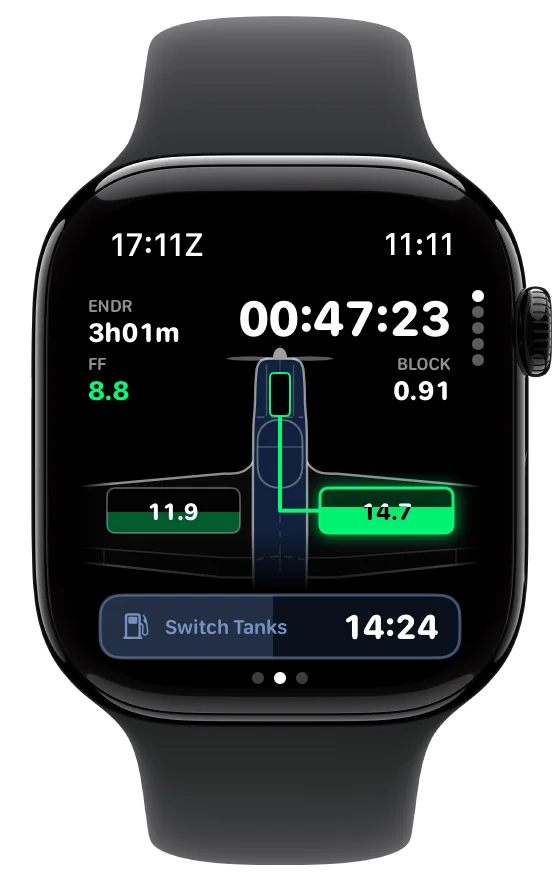
Check your flight time, estimated fuel remaining, and next reminder from your wrist. SkyTimer brings its redesigned flight screen and aircraft fuel-system view to Apple Watch.

More of your flight, a swipe or a crown turn away.
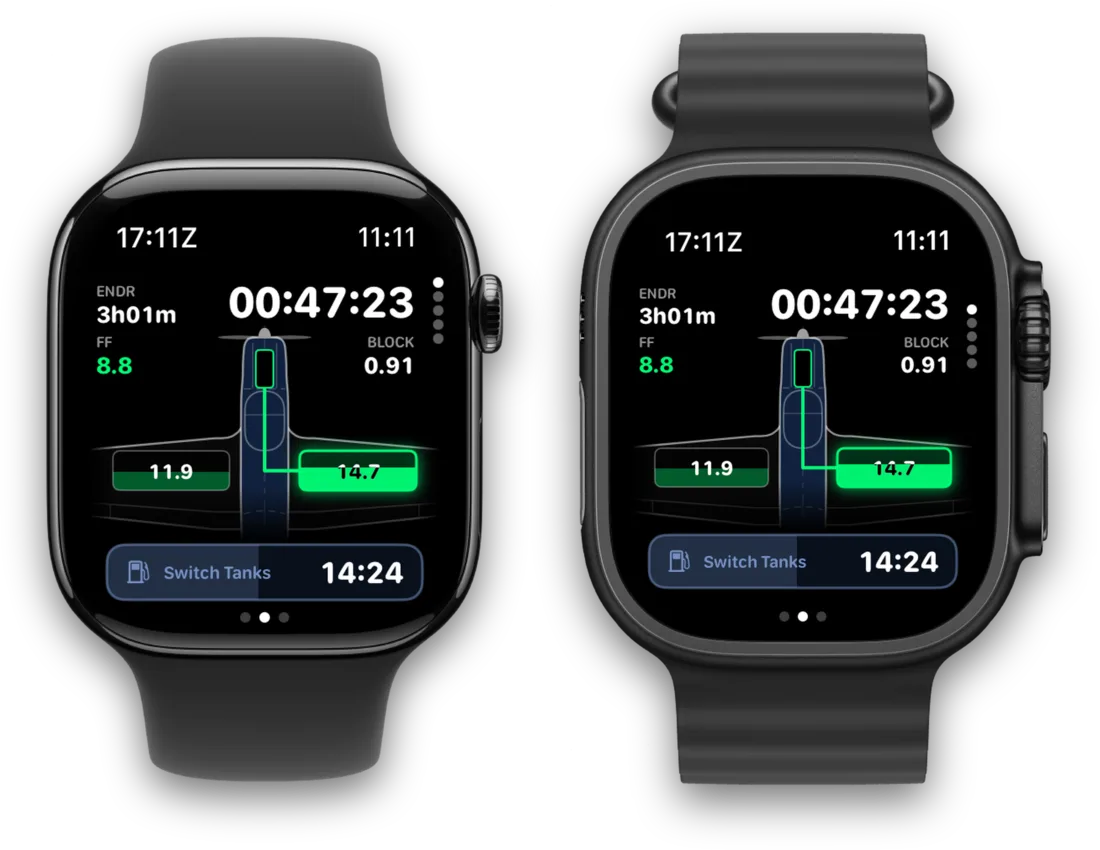
The flight screen shows your times, endurance, fuel flow, the fuel-system drawing, and the countdown to your next switch. Swipe for your controls, or turn the crown for more.
-
Controls
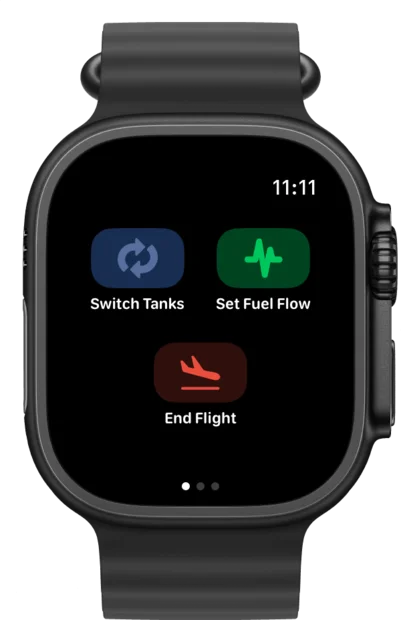
Swipe over from the flight screen to switch tanks, set your fuel flow, or end the flight by hand.
-
Nearest
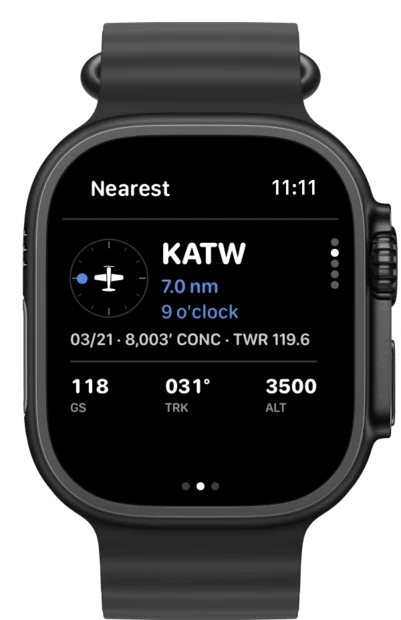
The nearest airport as a clock position and distance, with its longest runway and frequency.
-
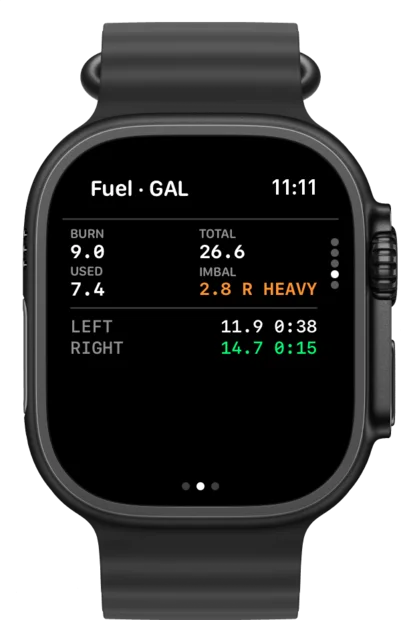
Fuel
Burn, total, used, and imbalance, with estimated fuel and time left in each tank.
-
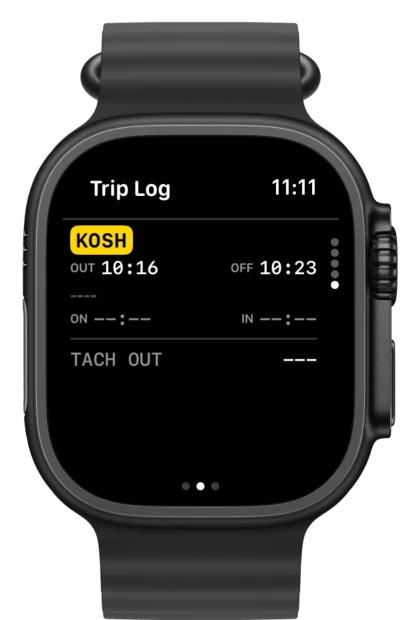
Trip Log
Your airports and out, off, on, and in times as the trip goes.
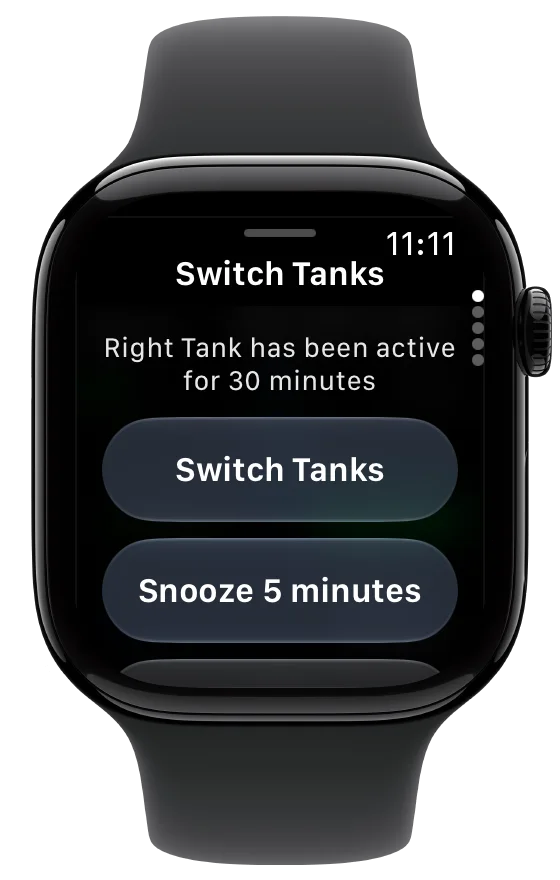
Tank reminders on your wrist.
When a tank switch or pump change is due, the reminder comes up on your watch with the same actions as on your phone.
- Make the change, then tap.Switch tanks in the airplane, then tap Switch Tanks to record it. Your phone and watch both update.
- Not ready yet?Snooze for 5 minutes, and it comes back.
- The next one, always counting.The status bar at the bottom of the flight screen counts down to your next reminder.
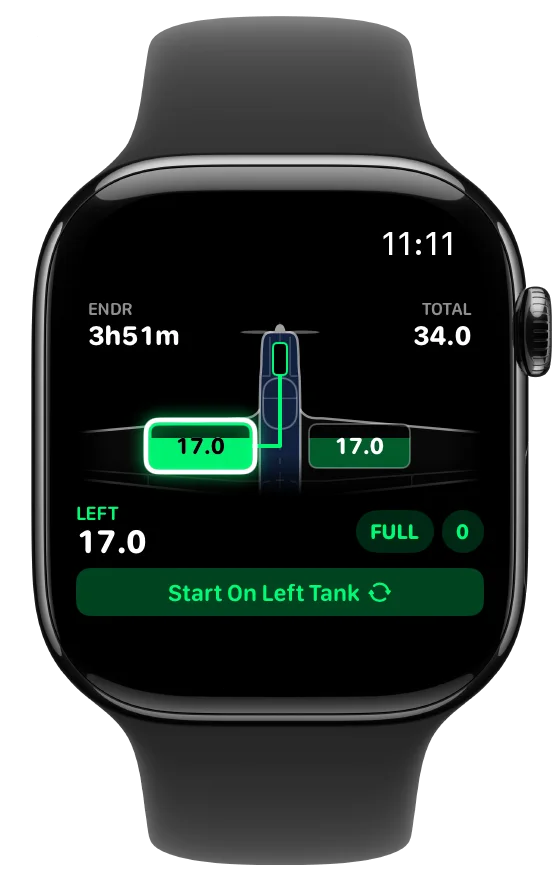
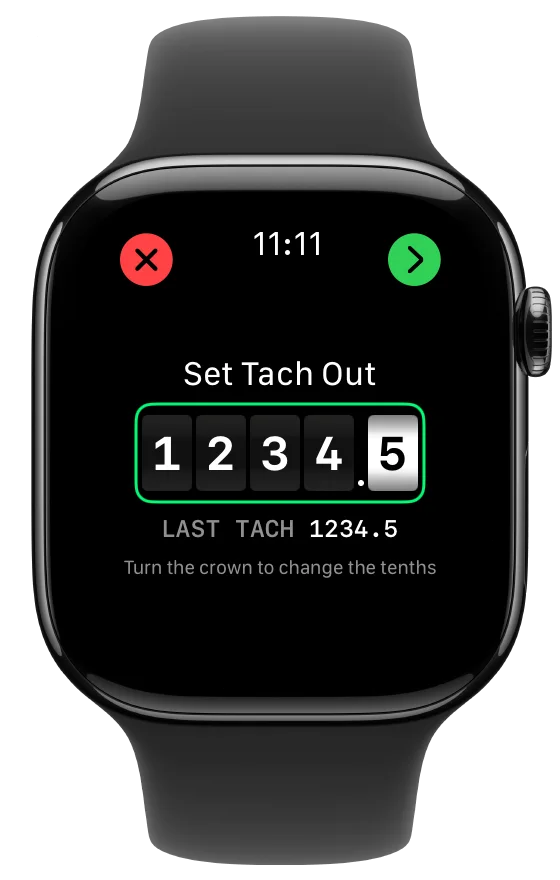
Preflight without picking up your phone.
Set the fuel in each tank on the aircraft drawing, then enter your Tach and Hobbs readings on odometer-style meters. Turn the Digital Crown to change the tenths, or spin it quickly to move whole hours. Then start the trip from your wrist.
Keep your phone and watch together.
Use SkyTimer from either device during the flight, with flight information synced between them.

Made for the watch you wear.
The flight screen fits the display, from the standard Apple Watch to Apple Watch Ultra, with the fuel-system drawing and your next switch readable at a glance.
Apple Watch questions
Something else? Visit Support.
Which Apple Watch do I need?
Any Apple Watch running watchOS 10 or later, paired with an iPhone running iOS 17 or later.
Can I record a tank switch from my watch?
Yes. Tap the action on the reminder, or switch from the flight screen. The change shows on your phone too.
Can I start a trip from my watch?
Yes. Set your fuel on the aircraft drawing, enter your meters with the Digital Crown, and start the trip from your wrist.
Which features need SkyTimer Plus?
Block and flight timers are free. Fuel tracking, tank reminders, and automatic takeoff and landing detection are included with SkyTimer Plus. Compare free and Plus.
Get SkyTimer on the App Store.
Download SkyTimer for iPhone, iPad, and Apple Watch.
Requires watchOS 10 or later. Fuel tracking and other advanced features require Plus.