
With your EFB
Use SkyTimer with ForeFlight or Garmin Pilot.
Think of SkyTimer as a heads-up display for your EFB. While ForeFlight or Garmin Pilot handles the navigating, your flight time, fuel remaining, and next tank switch stay in view. Fuel stays part of your scan, for better situational awareness without switching apps. On iPad, SkyTimer floats in a window beside the map. On iPhone, it follows your flight in the Dynamic Island and on the Lock Screen.

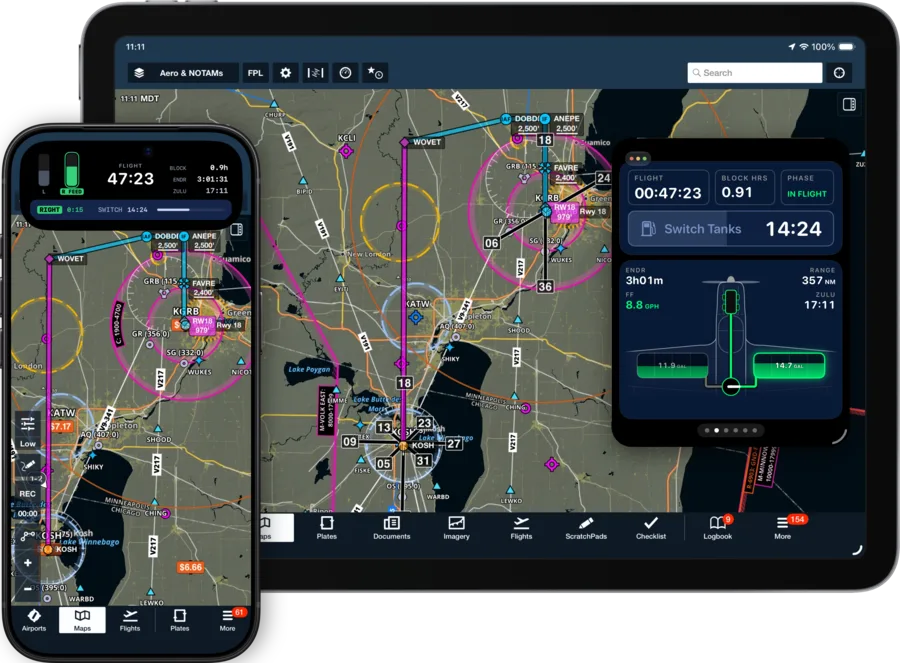
On iPad: more awareness, less app switching.
Float SkyTimer in a window on top of ForeFlight or Garmin Pilot, and size it to suit your cockpit. The layout adapts to the space it has: panels when there’s room, and swipeable compact pages in a small window or Slide Over.
- Fuel and time at a glance. A small window holds flight and block time, the tank-switch countdown, endurance, range, fuel flow, Zulu time, and the fuel-system drawing.
- Swipe for more. Nearest, your route, fuel details, and a timer are a swipe away, just as on iPhone.
- Full screen when you want it. Make the window bigger, or open SkyTimer full screen, and the panels come back.
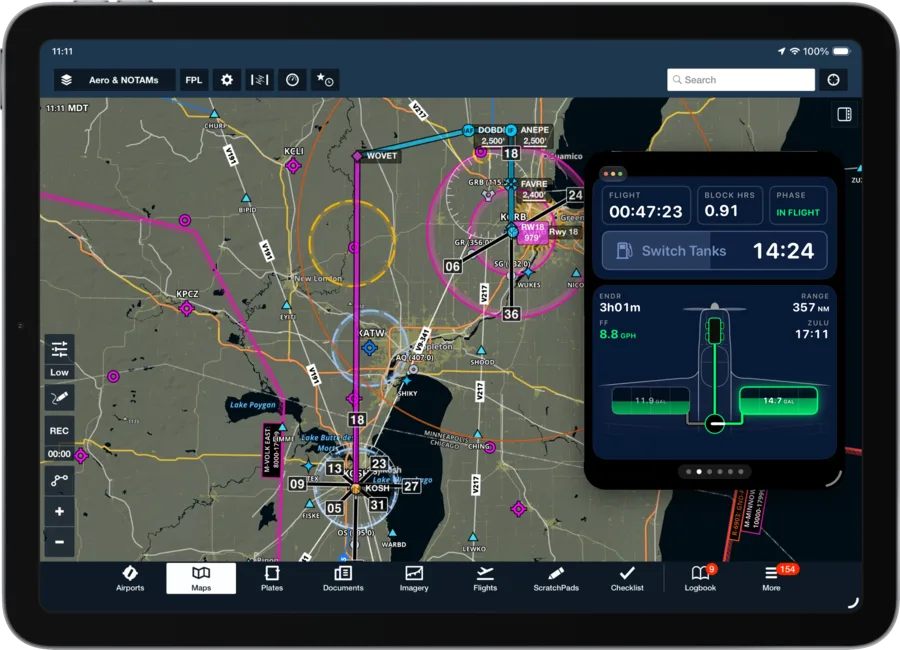
Tank reminders without leaving the map.
When it’s time to switch, the reminder appears in SkyTimer’s window with the actions for your fuel system. On this Twin Comanche, that means switching each engine’s fuel supply from its aux tank back to its main. Make the switch, then tap the action to record it in SkyTimer, or snooze for 5 minutes.
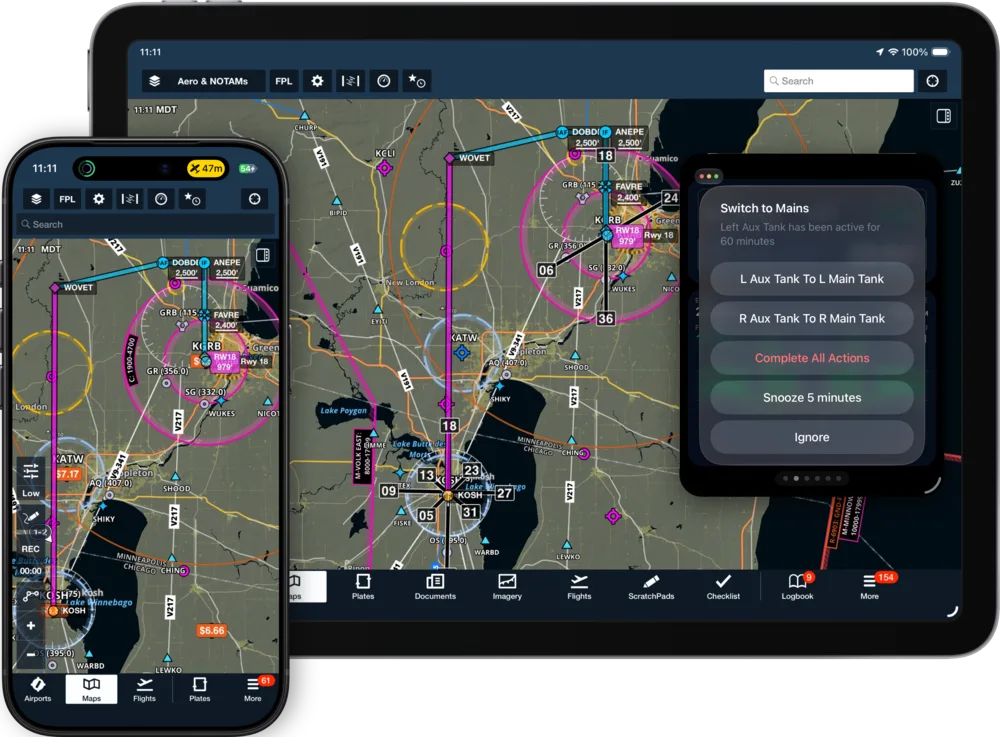
When SkyTimer isn’t on screen, reminders arrive as Time Sensitive notifications, which can come through even when a Focus is on. They also reach Apple Watch.
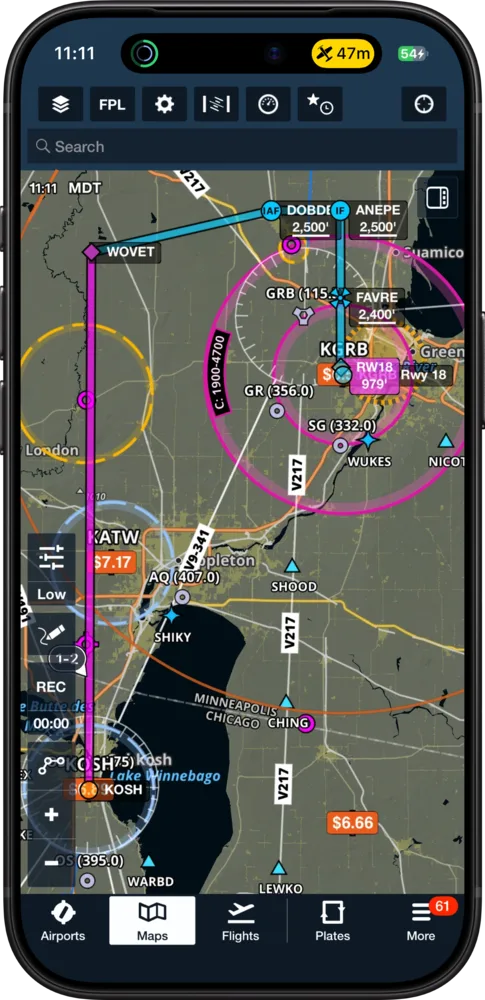
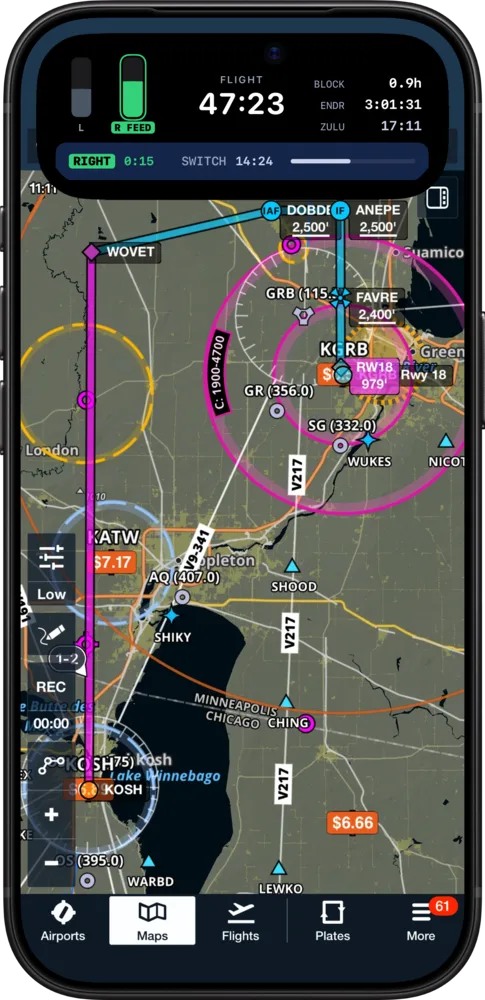
On iPhone: your flight in the Dynamic Island.
Open your EFB and SkyTimer keeps running as a Live Activity. Flight time sits beside the Dynamic Island. Touch and hold it to see your tanks, which one is feeding, endurance, and the countdown to your next switch.
- On the Lock Screen, too. Check your flight without unlocking your phone.
- Back to SkyTimer in one tap. Tap the Live Activity to open the full flight screen.
Live Activities are included with SkyTimer Plus. The Dynamic Island is on supported iPhone models.
Full screen when you want the whole picture.
Before departure, after landing, or whenever your charts can wait, open SkyTimer full screen. Your flight carries on exactly where it was.

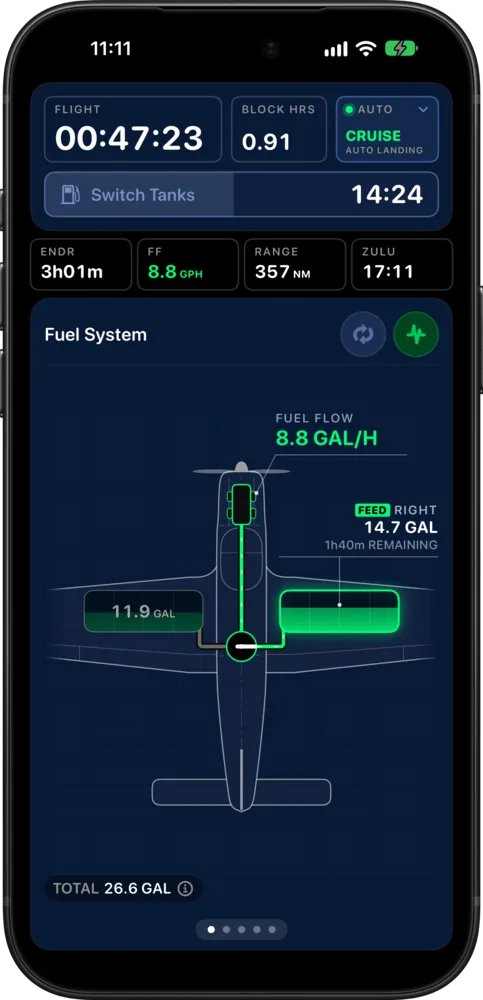
Using SkyTimer with your EFB
Something else? Visit Support.
Does SkyTimer share data with ForeFlight or Garmin Pilot?
No. SkyTimer runs alongside your EFB rather than connecting to it. It doesn’t read your flight plan or send data to your EFB. You set up your aircraft, fuel, and reminders in SkyTimer.
Does it work with other EFB apps?
Yes. Windows, Slide Over, Live Activities, and notifications are features of iPadOS and iOS, so SkyTimer works the same way beside any EFB or other app. The screenshots here show ForeFlight.
Do my timers keep running while my EFB is in front?
Yes. Your flight and block times and fuel estimates carry on while you use other apps, and reminders arrive as notifications.
Which features need SkyTimer Plus?
Block and flight timers are free. Fuel tracking, tank reminders, automatic takeoff and landing detection, and Live Activities are included with SkyTimer Plus. Compare free and Plus.
Get SkyTimer on the App Store.
Download SkyTimer for iPhone, iPad, and Apple Watch.