
SkyTimer Plus
Free flight timers. More with SkyTimer Plus.
Download SkyTimer and use block and flight timers for free. Upgrade to Plus for fuel tracking, fuel reminders, and automatic flight logging across your Apple devices.

Compare free and Plus
| Feature | Free | Plus |
|---|---|---|
| Timers and airports | ||
| Block and flight timers | Included | Included |
| Nearest airport details | Included | Included |
| Guided test flight Fuel features are on for the simulated flight | Included | Included |
| iPhone, iPad, and Apple Watch | Included | Included |
| Fuel | ||
| Estimated fuel by tank on the fuel-system drawing | — | Included |
| Endurance and fuel-flow tracking | — | Included |
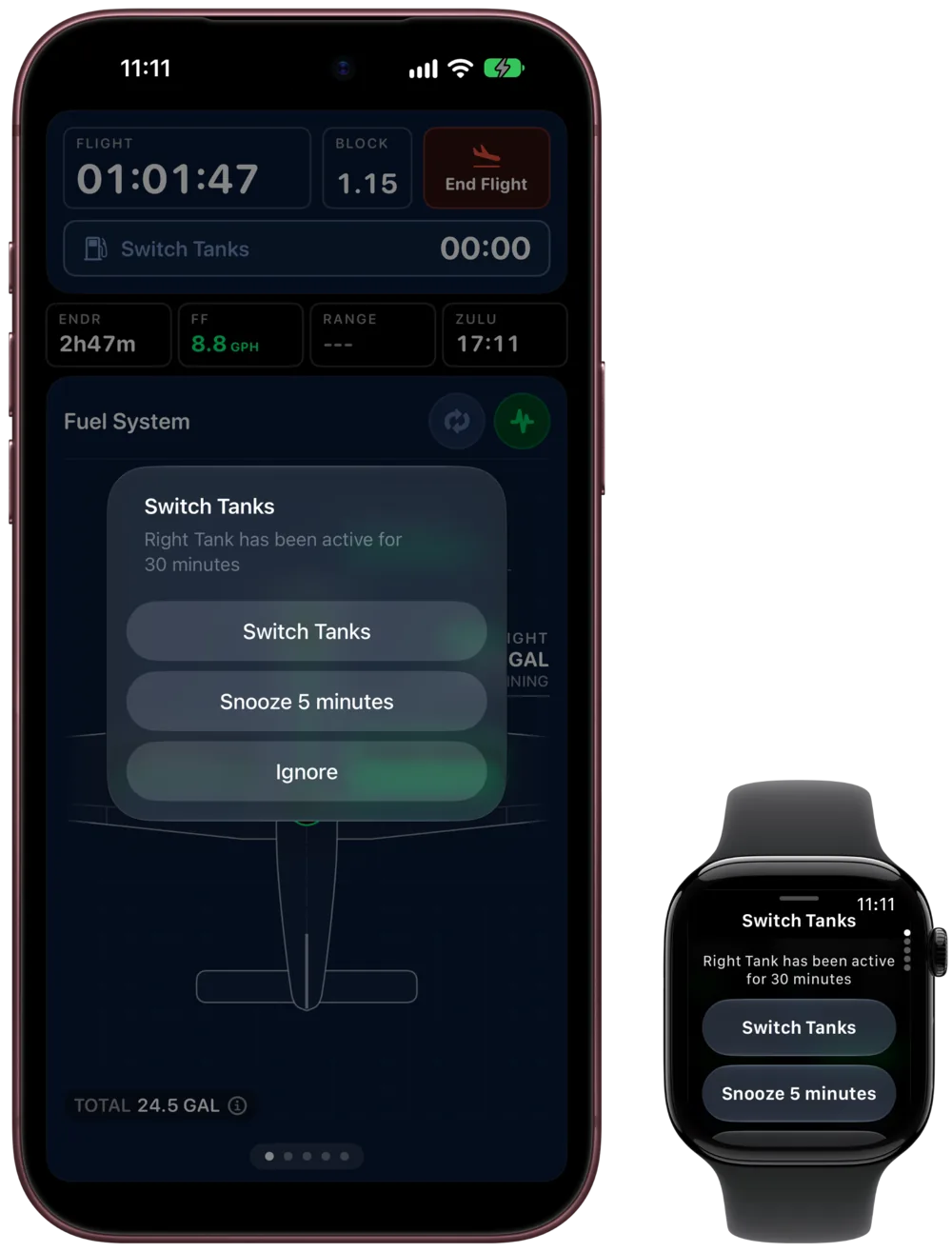
| Tank-switch, Smart Balance, tank-level, and pump reminders | — | Included |
| Live Activities and Dynamic Island | — | Included |
| Flight logging | ||
| Automatic takeoff and landing detection | — | Included |
| Saved trips | Up to 10 | Unlimited |
| Edit saved trips | — | Included |
| Export to LogTen or CSV | — | Included |
| Aircraft and devices | ||
| Aircraft | One | Unlimited |
| iCloud sync and backup | — | Included |
Choose monthly or annual billing in the app. Current prices and any eligible offers are shown before you subscribe.
See Plus at work before you subscribe.
The guided test flight takes you from Oshkosh to Green Bay in about three minutes, in your own aircraft setup or a sample aircraft. Fuel tracking and tank reminders are on for the simulated flight, so you can see how they work before you fly. Nothing is added to your flight log.
Plus questions
Something else? Visit Support.
Does one subscription cover all my devices?
Yes. One SkyTimer Plus subscription unlocks Plus on your iPhone, iPad, and Apple Watch.
How do I subscribe?
Subscribe from inside the SkyTimer app on iPhone or iPad. Choose monthly or annual billing. Current prices and any eligible offers are shown before you subscribe.
What happens if I stop subscribing?
Block and flight timers stay free. Fuel tracking, reminders, and automatic takeoff and landing detection need an active Plus subscription.
How do I cancel?
SkyTimer Plus is billed through your Apple account. Manage or cancel it in your Apple account’s Subscriptions settings.
Download SkyTimer.
Start with free flight timers, then take the guided test flight to see what Plus adds.
Requires iOS 17 or later; Apple Watch requires watchOS 10 or later. Some features require newer software or supported hardware.