
What’s new
Meet SkyTimer 3.
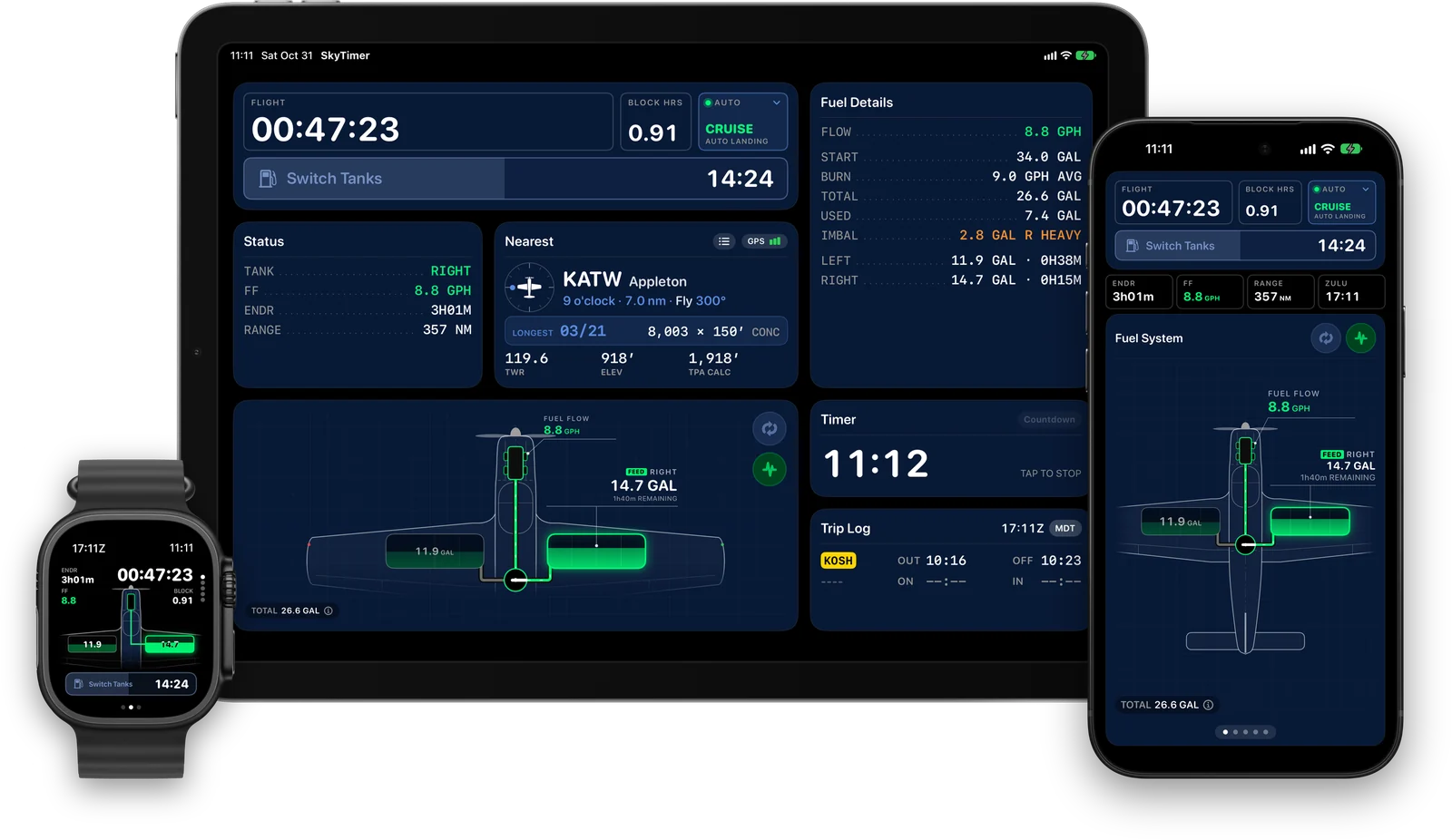
SkyTimer has a new flight screen built around the information you need at a glance: your configured fuel system, your next reminder, and key flight readouts.

Five big changes
1
Your fuel system, drawn.
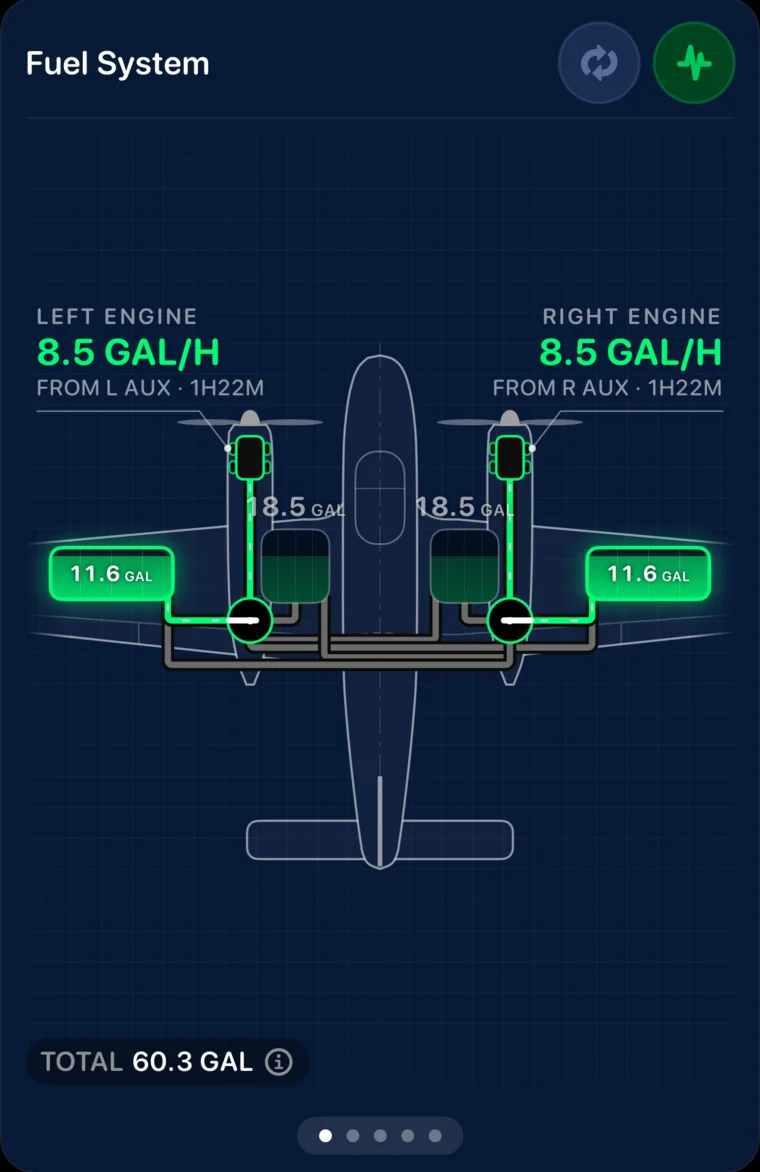
A plan-view drawing of the fuel system you configure replaces the fuel arcs: tanks, selectors, crossfeed, transfer pumps, and engine feeds, with estimated quantities. The active path is highlighted. Tap a tank for its details, or a valve to switch.
2
A new preflight.
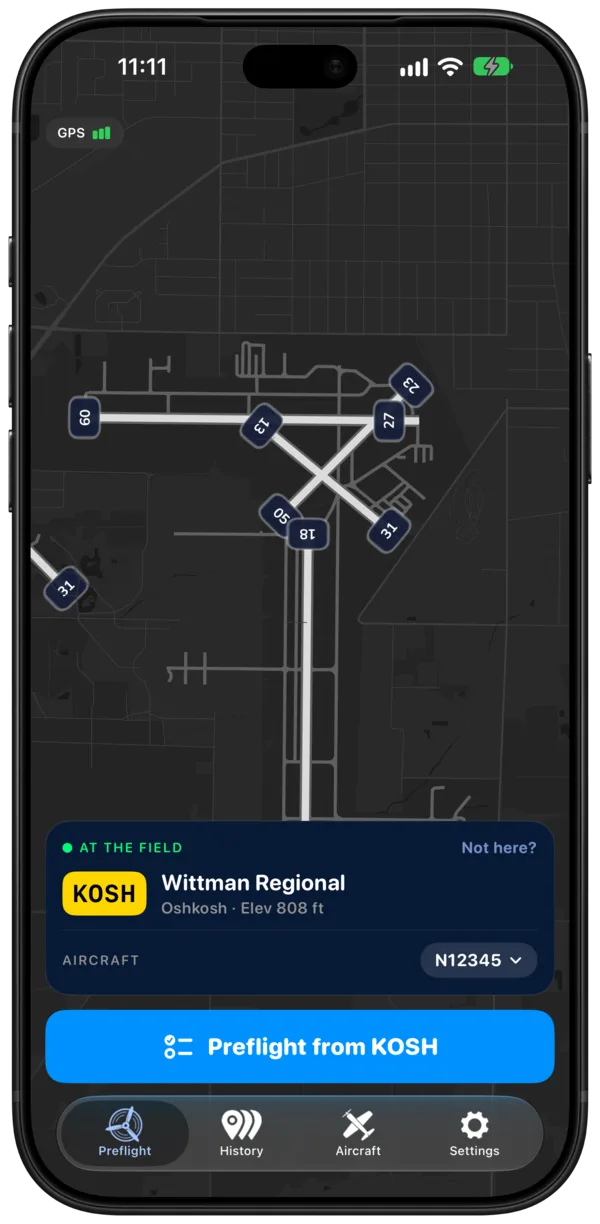
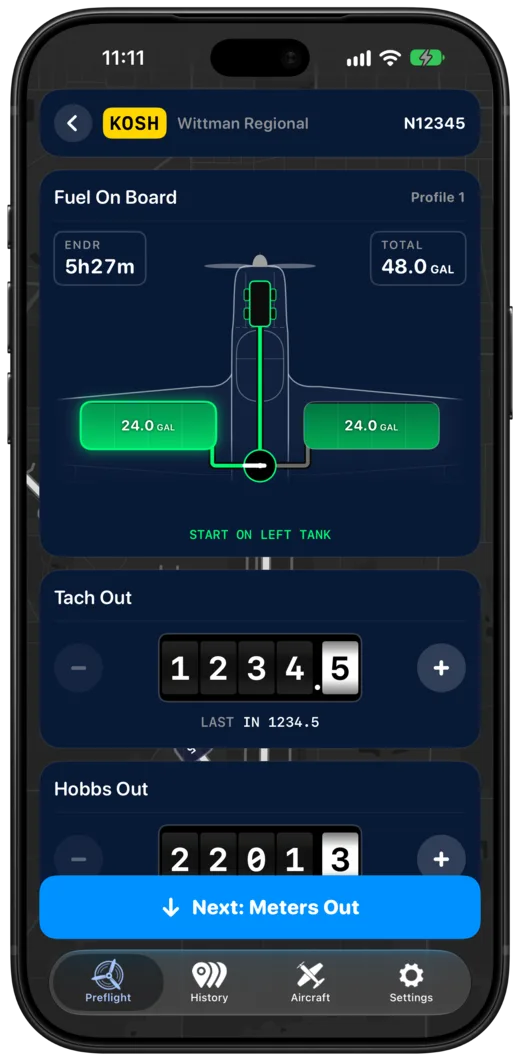
Two steps, then Start. SkyTimer picks the nearest airport for your departure, with runways drawn on the map. Then set fuel on board on the aircraft drawing and enter your meter readings.
3
Nearest airport details.
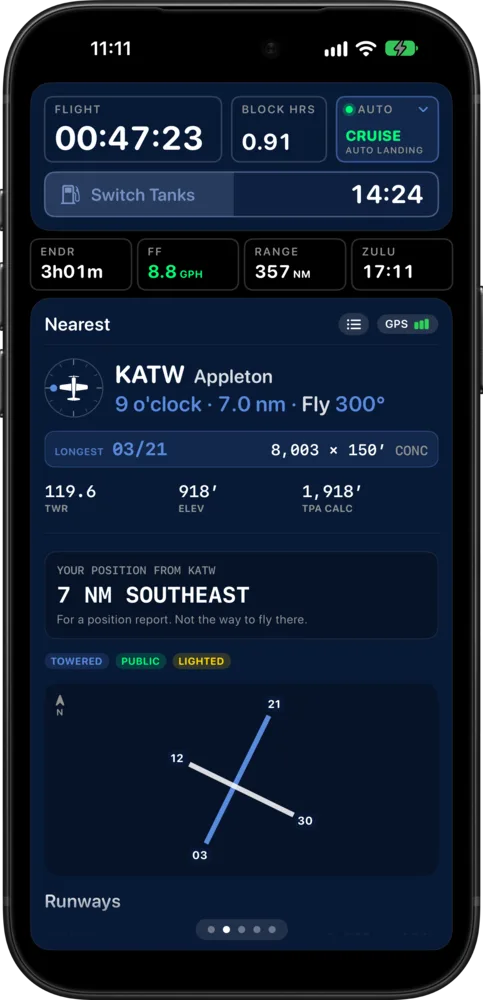
See the nearest airport as a clock position from your track, like a traffic call, with the heading to fly there. Its longest runway, frequency, field elevation, and pattern altitude are on the card, and your position from the field is ready for a radio call. Tap for more detail, including runways, fuel, and frequencies, or pick another airport from the nearby list.
4
Hobbs and Tach together.
Set an aircraft to log Tach, Hobbs, or both. Enter readings at preflight and trip end, and find them on your trips and in your exports.
5
A redesigned Apple Watch experience.
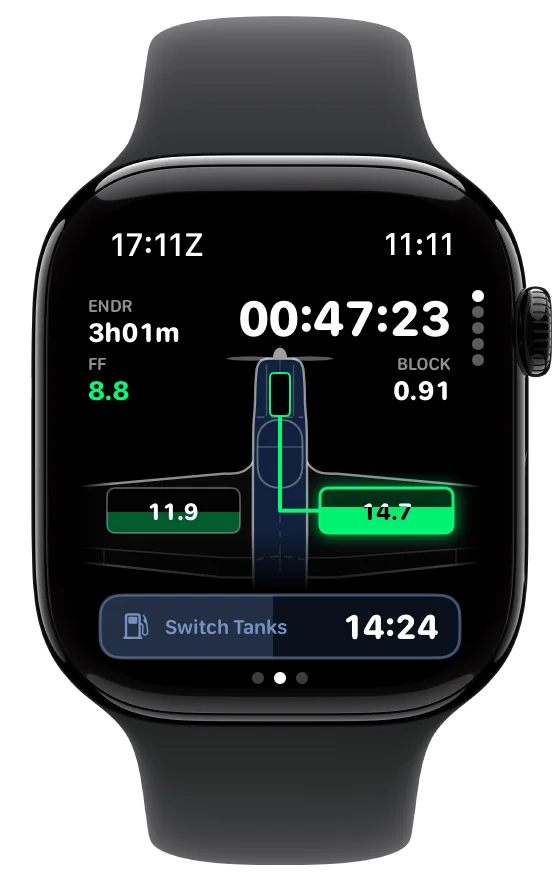
The new flight screen and fuel-system drawing come to your wrist, with Digital Crown pages for Nearest, Fuel, and Route. Preflight on the watch, too, with fuel set on the aircraft drawing.
Also new.
- iPad panels at any sizeThe flight screen adapts from full screen down to compact windows and Slide Over.
- iPhone DuoFolded, it’s the phone layout. Unfolded, an expanded flight screen with controls in the sidebar.
- A redesigned Live ActivityA fuel gauge and timer rings that turn amber when a switch is due.
- Reminders that keep comingNotifications for every upcoming fuel reminder, with Time Sensitive alerts that get through Focus.
- A fuel timeline on every tripTank switches and paused stops, in order.
- Start from your aircraft typeBegin with typical values for your type, then check and adjust them for your aircraft.
Already flying with SkyTimer? Everything comes with you.
-
Your data carries over
Your aircraft, flights, and reminders carry over.
-
Prefer the previous layout?
Turn on Classic Flight Screen in Settings → Display.
-
Try it on the ground first
Take the guided test flight to explore the new design with your own aircraft setup.

Requires iOS 17 or later; Apple Watch requires watchOS 10 or later. Some features require newer software or supported hardware.