Fuel tracking
Aircraft fuel tracking, tank by tank.
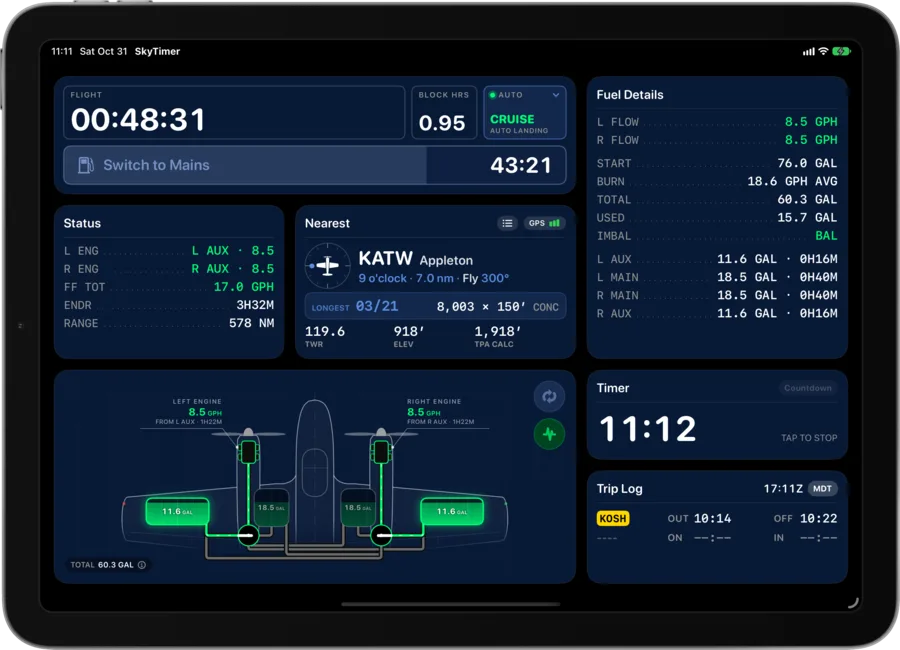
See your configured fuel system, follow estimated fuel remaining, and get reminders when it’s time to change tanks or operate a transfer pump. You enter your starting fuel and fuel flow; SkyTimer estimates each tank from the time that passes and the tank and pump changes you record.

Your instruments tell you how much. Not what’s next.
Most pilots track fuel with some mix of the panel gauges, a fuel totalizer, the clock, and a dipstick. Each one helps with part of the picture.
-
Fuel gauges
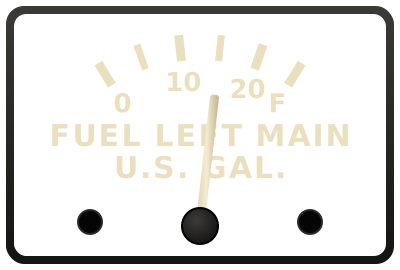
A general idea of what’s in each tank.
Analog gauges are hard to read precisely, and they move with turbulence and attitude, which is why pilots back them up with the clock and a dipstick.
-
Panel fuel totalizers
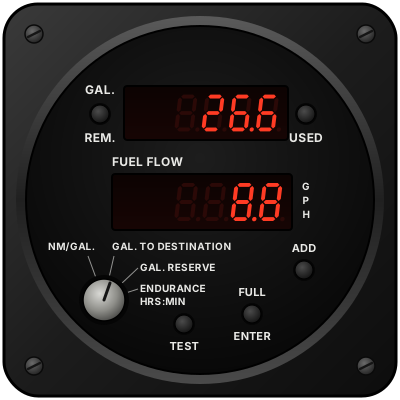
A better number for the fuel on board.
A flow sensor measures what the engine burns, so a totalizer can show fuel used, fuel remaining, and endurance, as long as you enter what you added at every fueling. Most track total fuel rather than each tank.
SkyTimer knows your plan. And reminds you of every step.
Set up your fuel system and your plan once. SkyTimer estimates every tank, up to seven, including tips, aux tanks, transfer pumps, and return fuel. Then it reminds you of each step on iPhone, iPad, and Apple Watch, so you’re not timing it yourself with a watch, a kneeboard note, or memory.
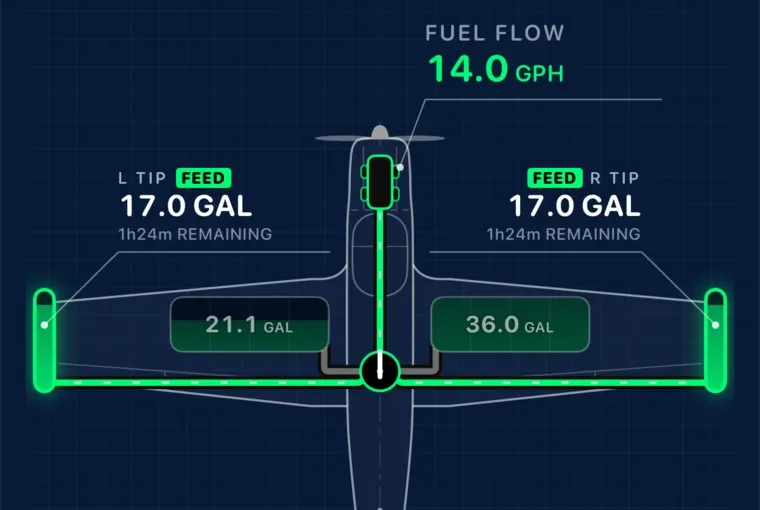
Switching tanks
“Switch to the aux tanks after climb out.”
Triggered by time after takeoff
“Use both tip tanks for the next hour and a half.”
Triggered by time on a tank
“It’s been 30 minutes. Switch tanks.”
Repeats on time on a tank
Transfer pumps
“Start the transfer once the main has room.”
Triggered when a tank has room
“Turn on the nacelle transfer pumps.”
A second action on the same reminder
“Turn the transfer pumps off.”
Triggered by a tank level, across pump sessions
Levels and balance
“Auxes are down to a quarter. Back to the mains.”
Triggered by a tank level
“Left tip’s almost dry. Switch to the right main.”
Triggered by a tank level
“Keep the left and right tanks even.”
Smart Balance, by time or fuel used
Your steps, times, and levels come from your POH, its supplements, and your own procedure. SkyTimer reminds you of the plan you set up.
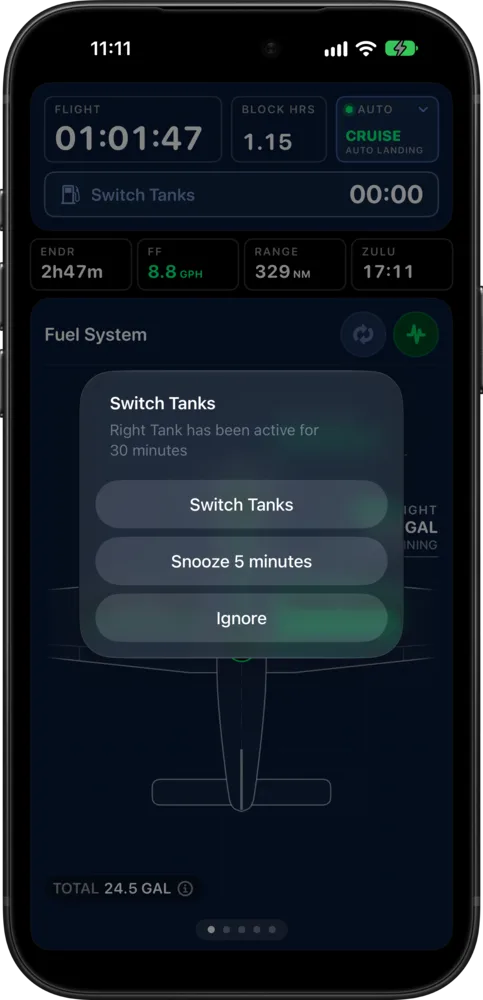
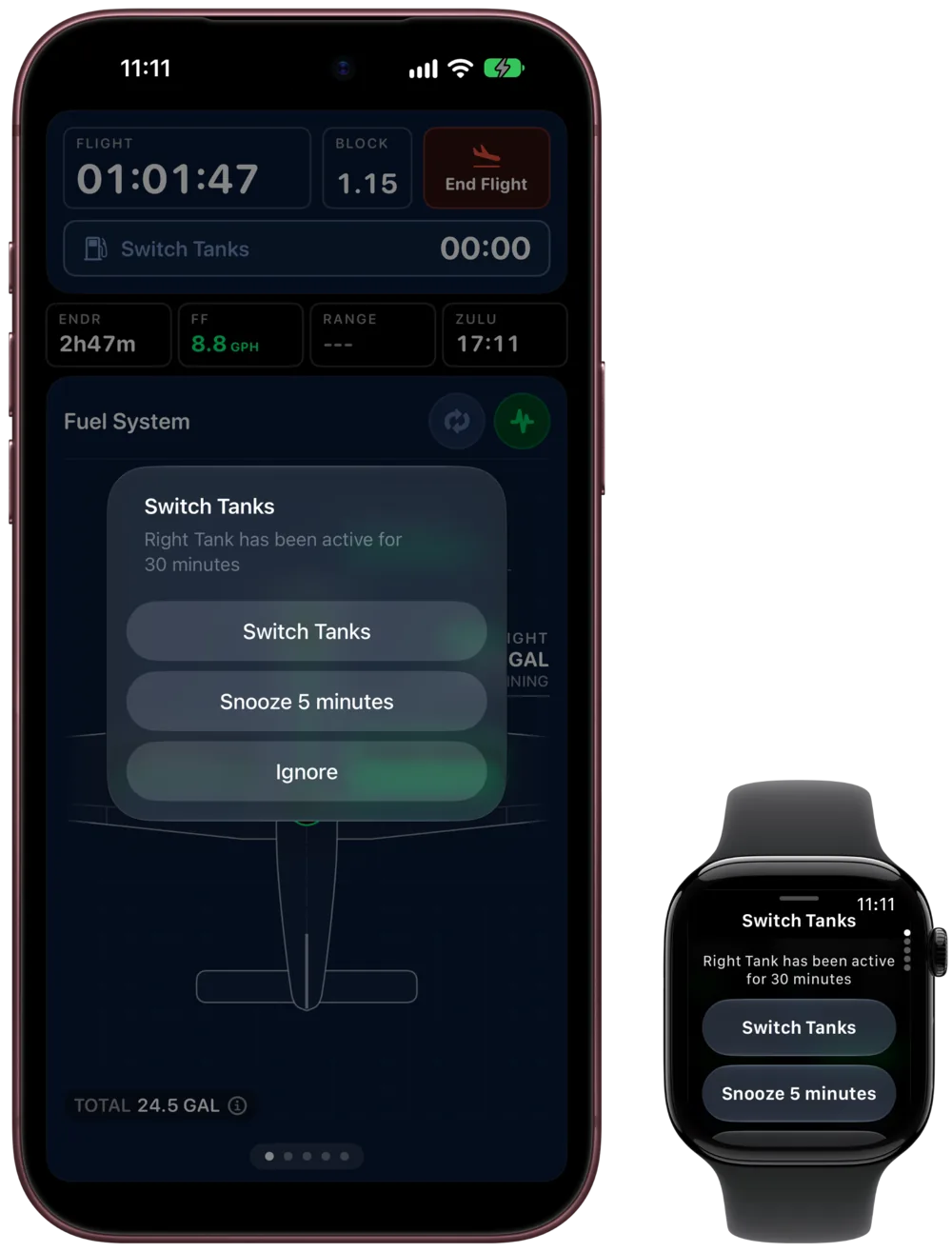
You move the selector. SkyTimer keeps the record.
SkyTimer doesn’t connect to your fuel system, so it can’t see the selector or the pumps. Each change you make in the airplane, you record with a tap, and the estimates follow it.
- The reminder comes up. “Switch Tanks. Right tank has been active for 30 minutes.”
- You switch tanks in the airplane. The selector, a pump, crossfeed: whatever your procedure calls for.
- You tap the action. Switch Tanks, or Complete All Actions when there’s more than one. That records the change.
- The drawing and estimates update. The new tank lights up, and the next reminder starts counting.
- Switched before the reminder?Tap the valve on the drawing or the Switch Tanks button to record it. The interval starts over from there.
- Not ready yet?Snooze brings the reminder back in 5 minutes. Ignore starts the interval again without recording a change.
- Starting fuel wrong?On the ground, pause the trip and use Refuel to set what’s on board.
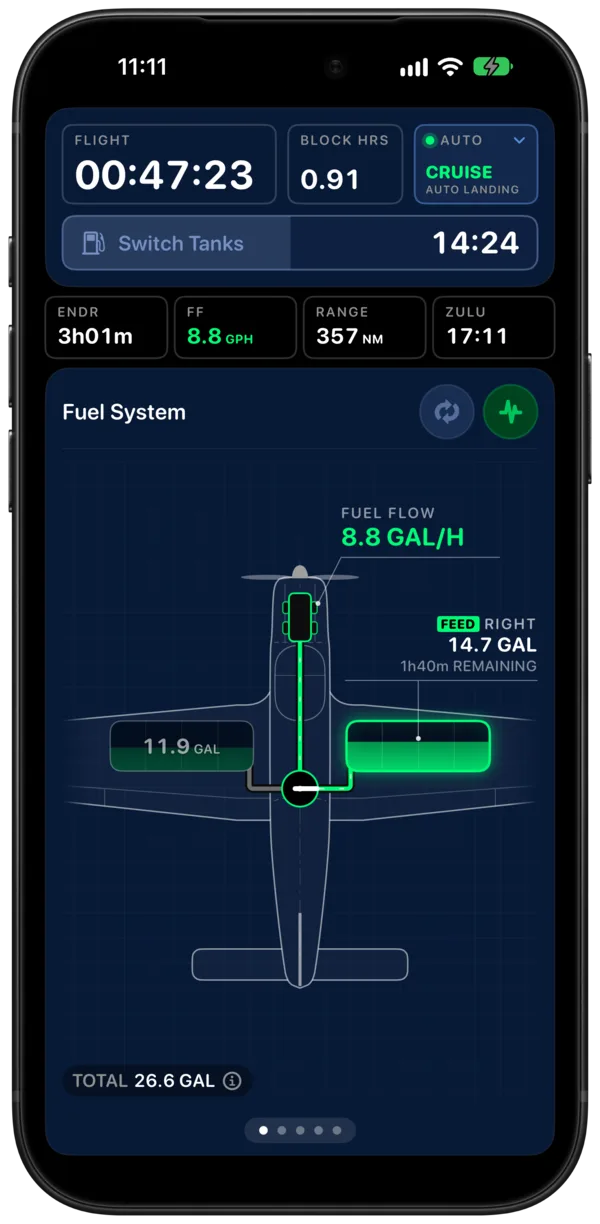
See where your fuel is going.
The aircraft drawing shows your tanks and active feed path, with estimated quantities that change through the flight. Tap a tank for its details, or a valve to record a switch.
- The active path, highlightedTanks that aren’t feeding recede, so the selected path stands out.
- Your next action, counting downThe status bar above the drawing shows when your next switch is due.
Set reminders for the way you fly.
Choose timed switches, Smart Balance, tank-level triggers, and pump reminders. Use your POH to establish the procedure, then configure SkyTimer to remind you of the next step.
- Timed switchSwitch tanks every set number of minutes.
- Smart BalanceKeep your tanks close to even.
- Tank levelSwitch when a tank is down to the level you choose.
- Pump on and offGet a reminder when it’s time to change a transfer pump.
Configure the system you actually fly.
Start with a Cessna 172 feeding from both tanks, configure a Bonanza with tip tanks, or set up a Twin Comanche with separate engine feeds and crossfeed. SkyTimer supports systems with auxiliary tanks, fuel return, and transfer pumps. SkyTimer tracks the fuel paths you configure, including fuel that moves between tanks rather than going straight to the engine.
Choose an aircraft type to begin with typical values, then check and adjust them for your aircraft and installed equipment.
-
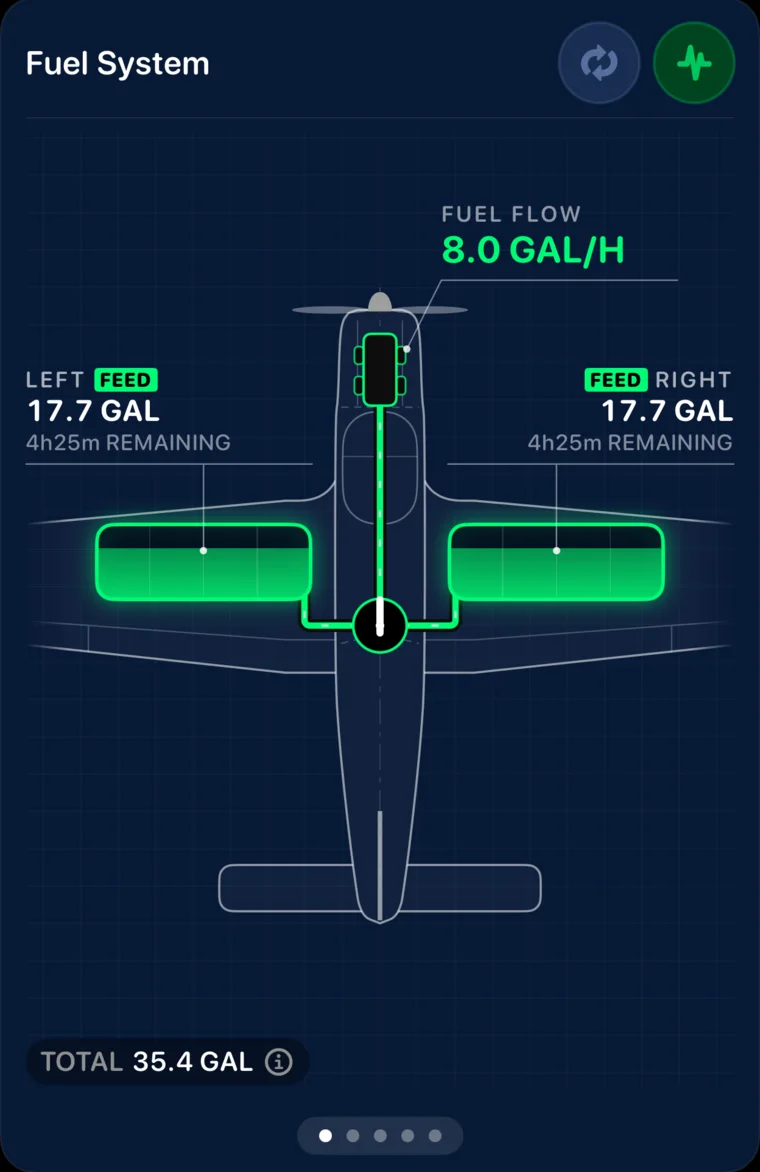
Cessna 172: both tanks feeding
Simultaneous feeds from the left and right tanks, with estimated quantities for each.
-
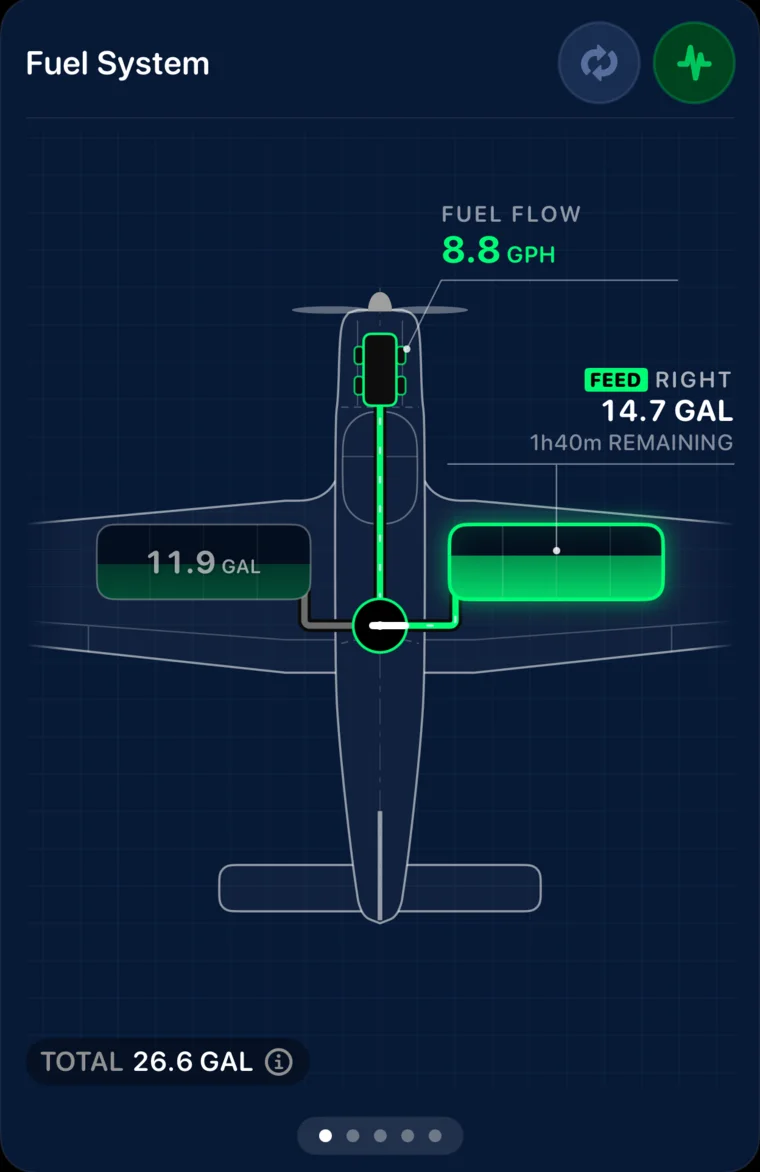
Piper Cherokee: one tank at a time
A left or right selector, with a reminder when it’s time to switch.
Tip tanks aren’t all the same.
Some installations feed the engine directly from the tips and return excess fuel to a main tank. Others use electric pumps to transfer tip fuel into the mains. SkyTimer supports both kinds of setup, with estimated quantities and reminders based on the system you configure.
Whether you’re drawing from two tanks together, returning fuel to another tank, or replenishing a main with a transfer pump, the drawing helps you follow where the fuel is going.
-
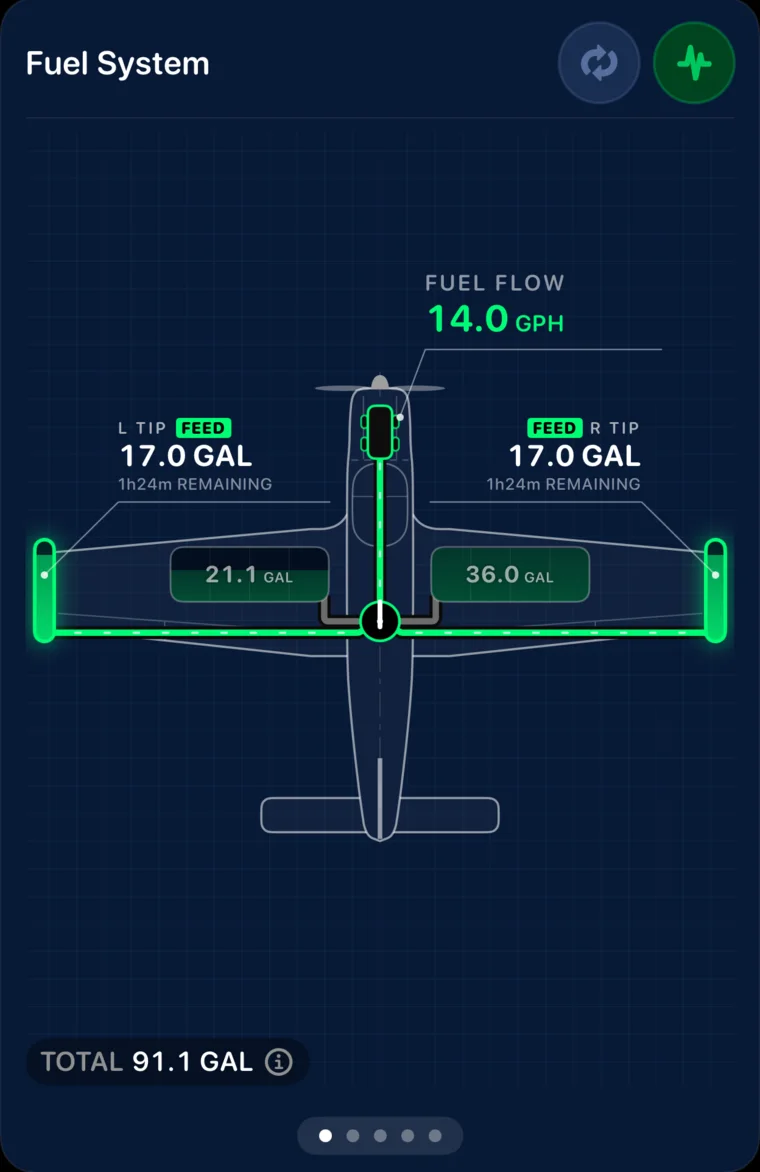
Bonanza with direct-feed tips: account for return fuel
Both tips feeding at once. SkyTimer accounts for the excess fuel returning to the main tank you configure.
-
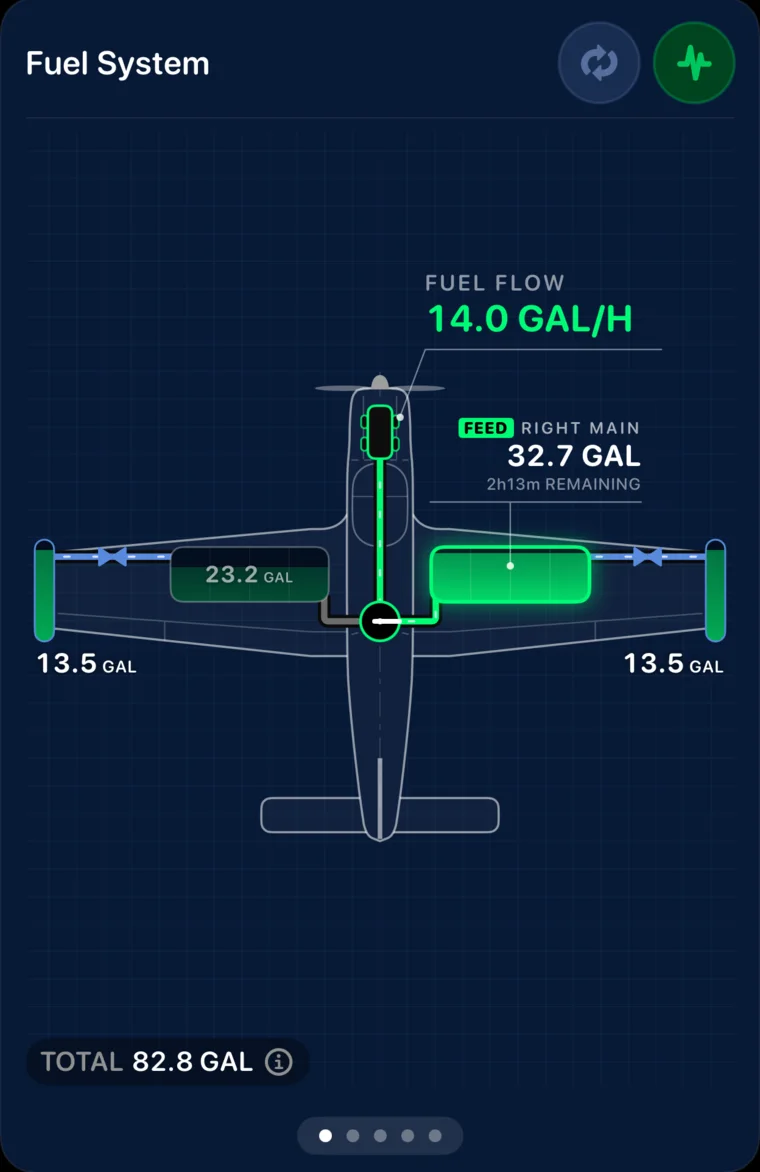
Bonanza with transfer tips: follow fuel into the mains
The pumps move fuel from each tip to its main, while the engine feeds from the selected main.
Two engines. A clear view of each feed.
Configure a twin’s tanks, engine feeds, and crossfeed paths. See which tanks are feeding each engine and follow estimated fuel quantities across the system. Set reminders for the configuration changes in your fuel procedure.
-
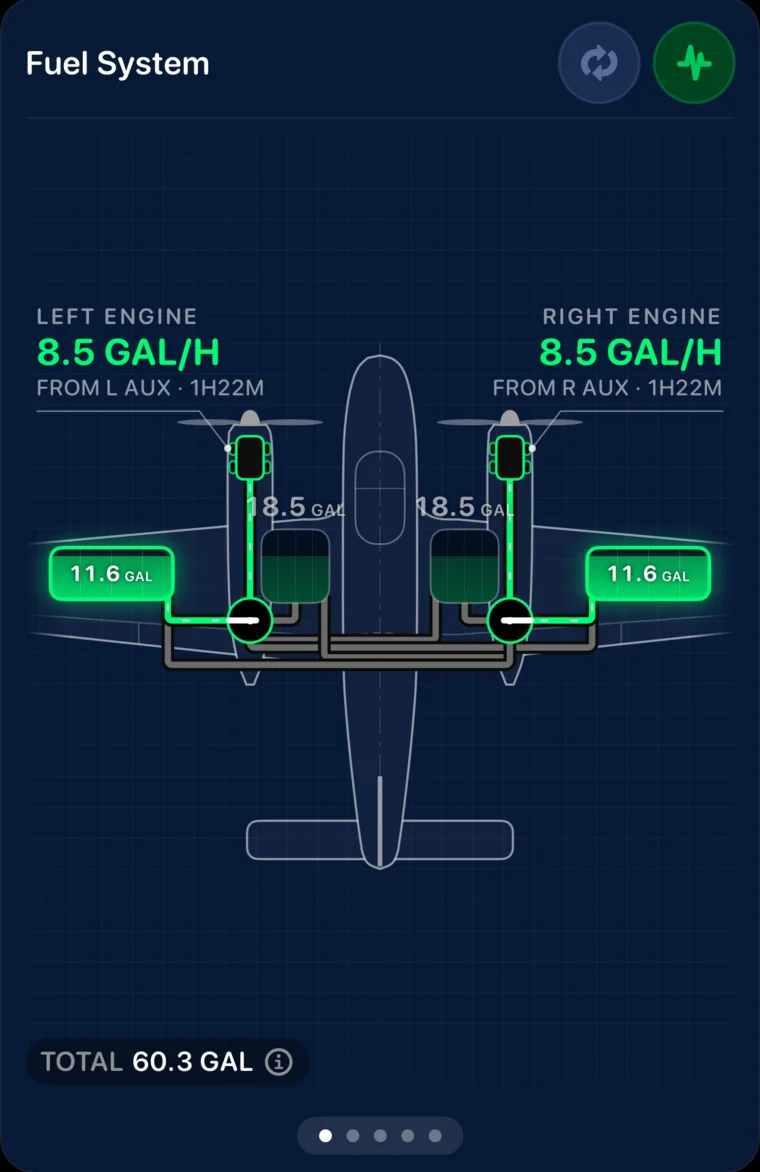
Twin Comanche: each engine on its own tank
Both engine feed paths drawn, with estimated fuel in the mains and auxiliaries.
-
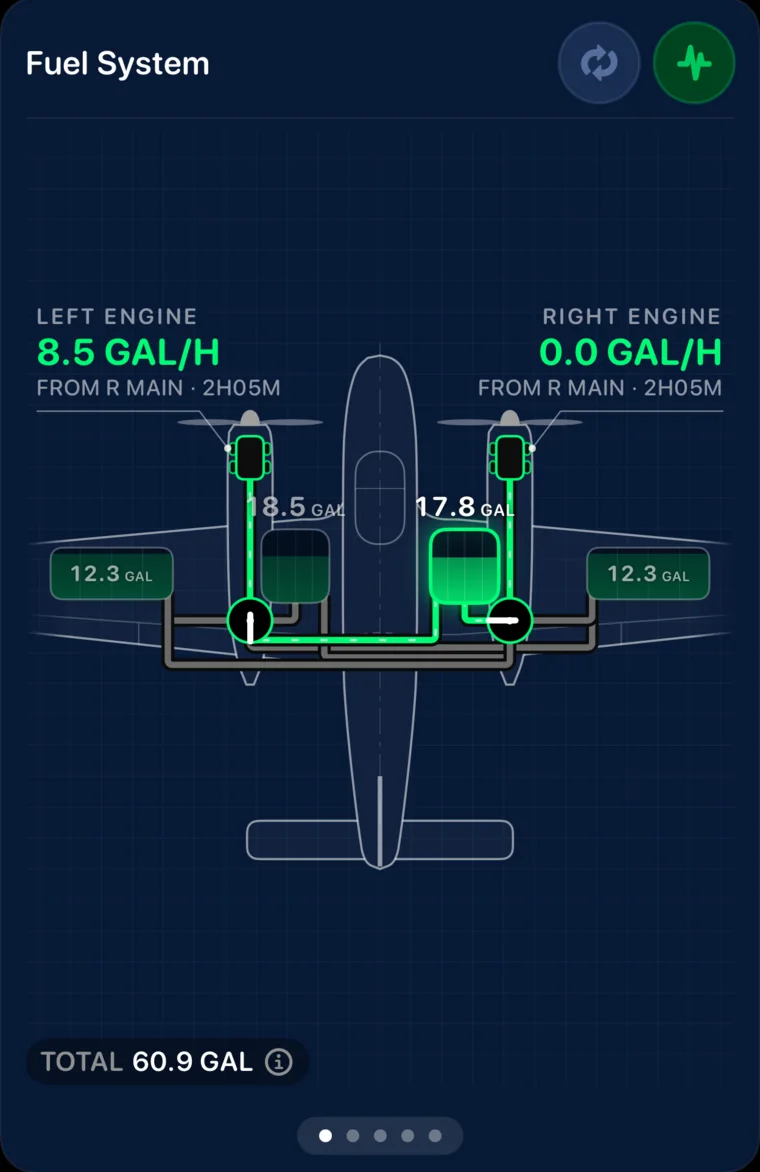
Twin Comanche: crossfeed
With the right engine shut down, the left engine draws from the right main. Crossfeed procedures come from your POH.
Guides by fuel system: Left, Right, and Both · Left or Right · Tip tanks · Twins · Supported aircraft
Update fuel flow as conditions change.
Change your fuel-flow setting during the flight so estimates reflect the burn rate you’re using. Review estimated endurance and range alongside flight time and your next reminder.
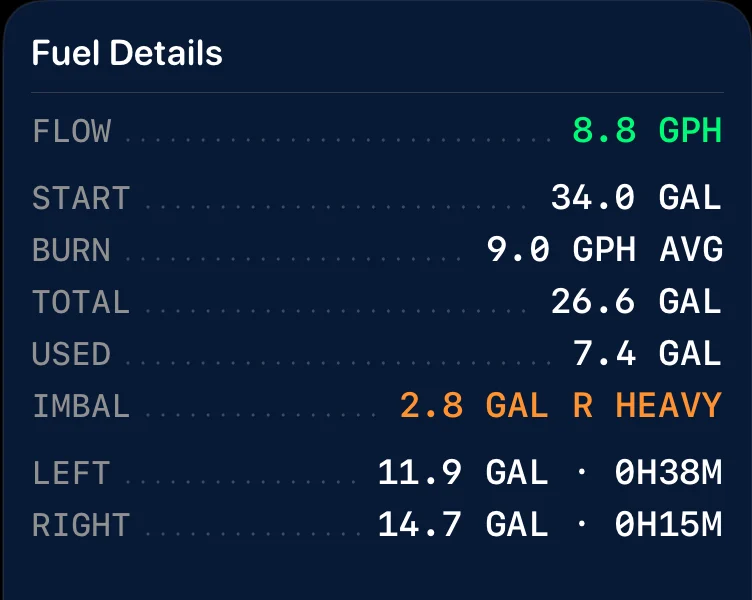
Know what the estimates depend on.
Starting fuel, burn rates, and the configured fuel system all affect the result. SkyTimer estimates fuel from the information you provide; it does not measure the fuel in your tanks.
- Fuel on boardUsable fuel only. Unusable fuel is set aside when you set up each tank.
- EnduranceTime until all usable fuel on board, across every tank, is used at your current fuel flow. No reserve is held back; set a low-fuel warning for the margin you want.
- RangeEstimated distance at your current GPS ground speed and fuel flow. It doesn’t predict changes in wind, power setting, or route.
Fuel quantities, endurance, and range are estimates based on your inputs and flight data. Use your aircraft’s instruments and POH to manage fuel.
Download SkyTimer and try a simulated flight.
SkyTimer’s guided test flight plays a sped-up trip from Oshkosh to Green Bay right in the app, using your own aircraft setup or a sample aircraft. In about three minutes you’ll see fuel tracking and tank reminders at work. Nothing is added to your flight log.