
Flight logging
Your logbook entry, written while you fly.
SkyTimer logs your flight as it happens: out, off, on, and in times, block and flight time, takeoffs and landings, and the airports you flew between. When you shut down, your times, airports, and takeoffs and landings are ready to review and send to LogTen or enter in your logbook.

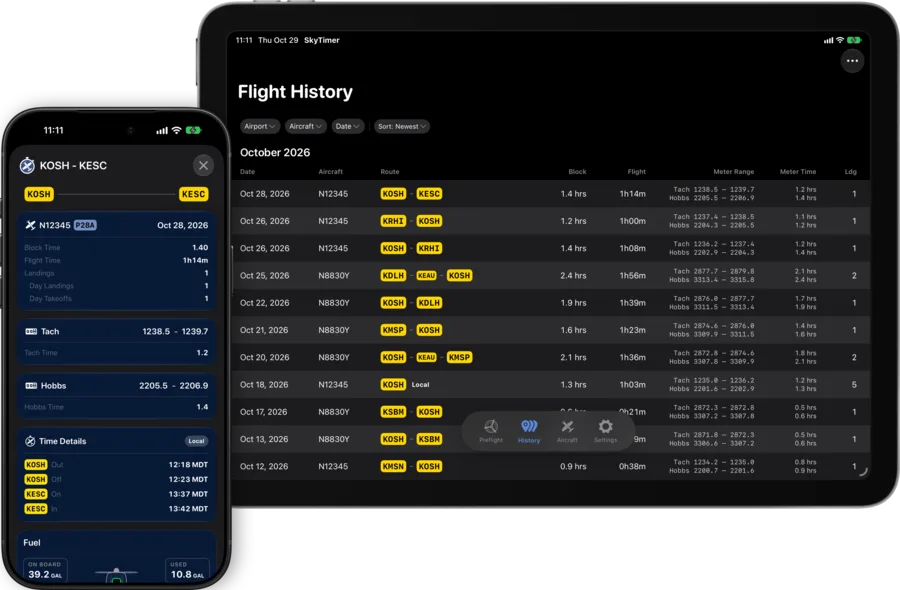
Your flight details, ready for your logbook.
By the time you shut down, your times, airports, and takeoffs and landings are already there. Add your meter readings and anything else your logbook needs.
| Date | Make & model | Ident. | Route of flight | Times (local) | Takeoffs | Landings | Meters | Flight | Total (block) |
|||||||
|---|---|---|---|---|---|---|---|---|---|---|---|---|---|---|---|---|
| From | To | Out | Off | On | In | Day | Night | Day | Night | Hobbs | Tach | |||||
| 10/31/26 | P28A | N12345 | KOSH | KGRB | 10:07 | 10:15 | 11:07 | 11:11 | 1 | 0 | 1 | 0 | 2201.3 2202.4 | 1234.5 1235.4 | 0:52 | 1.05 |
- Out, off, on, and inTakeoff and landing from GPS. Out and in when you start and end the trip.
- Every airportDeparture, arrival, and each fuel stop along the route.
- Day and night takeoffs and landingsNight counted by your aviation authority’s rule: FAA, EASA, Transport Canada, CASA, and more.
- Block and flight timeTotals for the trip, with your Hobbs and Tach readings.
Automatic takeoff and landing detection is part of SkyTimer Plus.
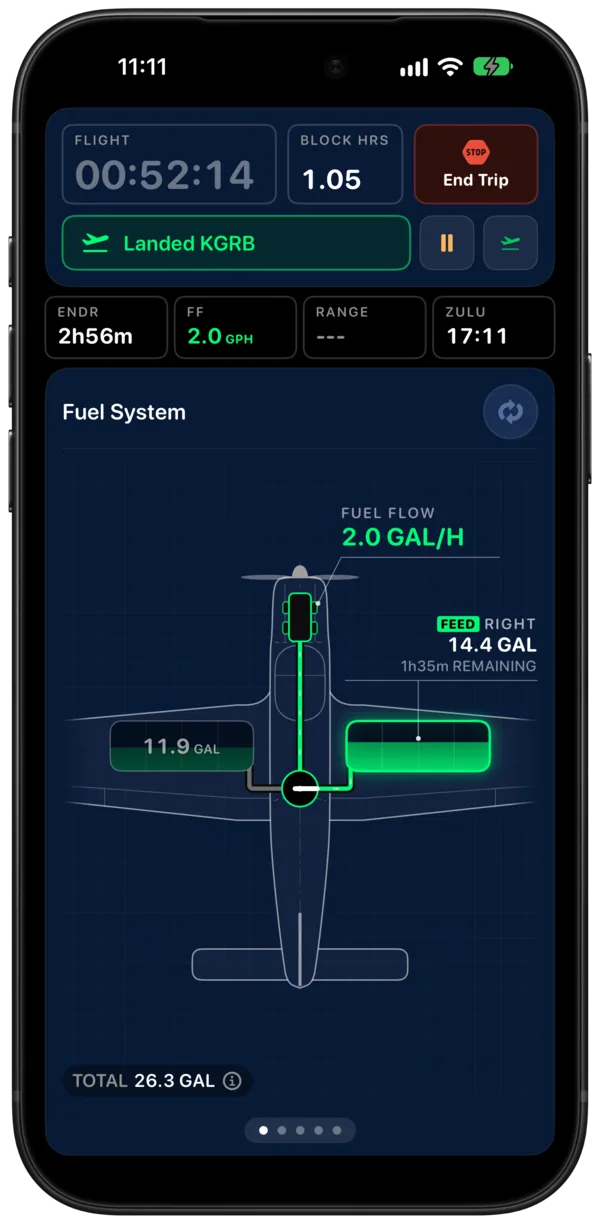
At shutdown, two numbers and you’re done.
Tap End Trip, enter your Tach and Hobbs readings, and save. SkyTimer keeps your last readings, so the next trip starts where this one ended.
- Hobbs, Tach, or bothSet each aircraft to track the meters it has.
- Every trip, keptSaved trips are filed under the aircraft you flew, in Flight History.
Send it to LogTen in one tap.
From a saved trip, tap to send the flight to LogTen. SkyTimer hands it over with these fields filled in.
- Date, aircraft type, and registration
- From, to, and the stops in between
- Out, off, on, and in times, and total time
- Day and night takeoffs and landings
- Hobbs and Tach, start and stop
- Your trip notes as remarks
Another logbook?
Export trips from Flight History to a CSV file for any other logbook or spreadsheet.
On all your devices
iCloud keeps your aircraft and trips on your iPhone, iPad, and Apple Watch.
LogTen and CSV export are part of SkyTimer Plus. LogTen must be installed on the same device.
Plus the fuel story your logbook can’t hold.
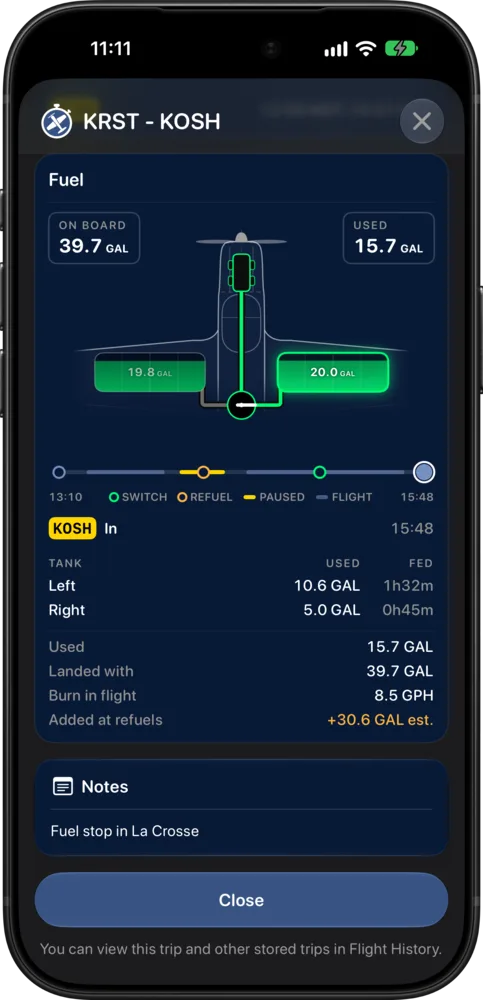
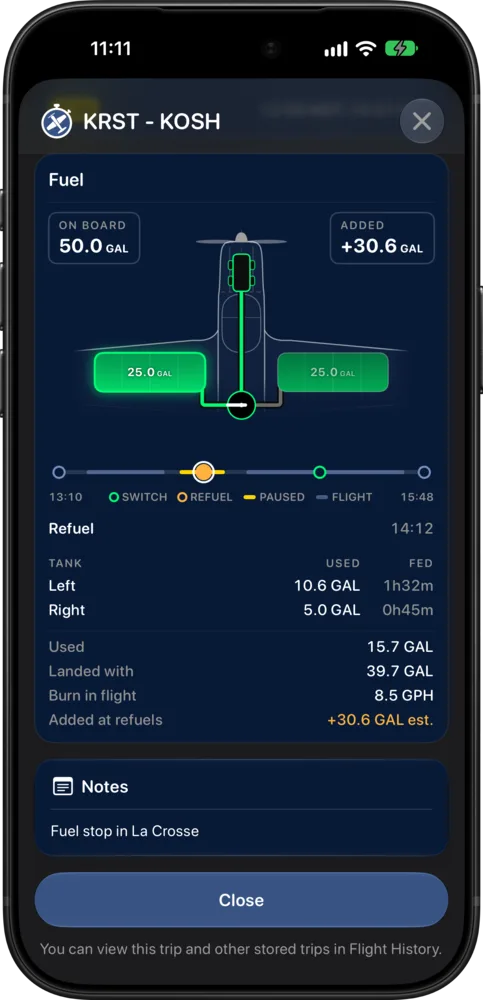
Each saved trip has a fuel timeline with your tank switches, refuels, and paused stops. Tap a point on it to see the fuel on board at that moment, and review fuel used and time fed from each tank.
Download SkyTimer.
Block and flight timers are free. Automatic takeoff and landing detection, unlimited trips, and exports come with SkyTimer Plus.